Desktop Device Scan
这是 Desktop Device Scan,我们与 Web Device Scan 互补的 white label 模块。您可以使用我们的程序深度采集设备信息,并识别恶意软件的存在!
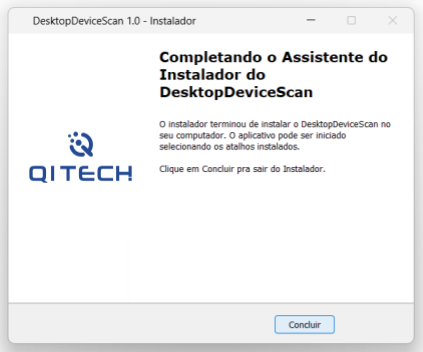
本软件是为满足 Instrução Normativa BCB nº 491 而开发的。它与 Web Device Scan 结合使用,能够为每台设备生成唯一且可靠的标识!
注意
我们的应用程序是 White Label 的!您可以在安装程序中使用您自己的徽标,并自定义可执行文件名称和显示的消息,为您的用户提供更友好的体验。
使用方法
在本步骤指南中,您将找到有关如何将程序与库结合使用的详细信息,以及 JavaScript 实现示例。通过这些,您将拥有将解决方案适配到您的用例所需的工具。
<html>
<head>
    <script src="https://ds.viewpkg.com/device-scan-2-1-1.js"></script>
</head>

<script>
    var deviceScan = new vPkg.DeviceScan('web_token', 'session_id')
    deviceScan.setSandbox()
    deviceScan.setDesktop(true)
    deviceScan.info('event_type', 'event_id')
        .then((res) => console.log(res))
        .catch((error) => console.log(error))
</script>
</html>
使用 deviceScan.setDesktop(true) 标志时,Web SDK 将尝试识别已安装应用程序的存在。如果未安装或出现问题,您可能会收到以下错误之一:
| 错误 | 描述 |
|---|---|
| Timeout in Secure App | 应用程序存在但未正确响应。请重新安装应用程序以解决问题。 |
| Invalid desktop data | 应用程序已被修改或损坏。请重新安装应用程序以恢复完整性。 |
| Desktop App Not Present | 应用程序未安装。请向用户提供 QI Tech 提供的下载链接。 |
| Unexpected App Error | 与应用程序通信时发生意外错误。如果重新安装后问题仍然存在,请联系支持团队:支持。 |
支持的操作系统
Desktop Device Scan 适用于主流现代操作系统,在每个平台上提供原生兼容性和优化性能。
 Windows 10/11 x64 |  macOS Intel (x86_64) macOS Apple Silicon (M1/M2/M3) |